
What is Uma Musume Tier List Maker
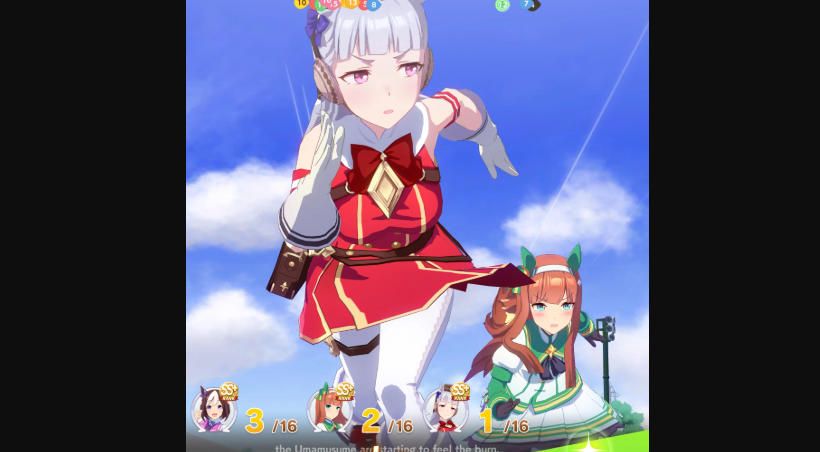
The uma musume tier list maker is an online ranking tool inspired by Umamusume: Pretty Derby, a popular racing and training game where horse girls compete for victory. Players train characters, improve stats, win races, and unlock stories. With the tier list maker, fans can rank their favorite trainees based on speed, stamina, power, design, or personal preference.
Videos and Images of Uma Musume Tier List Maker


Features of Uma Musume Tier List Maker
A detailed introduction about Uma Musume Tier List Maker
Easy Drag and Drop in Uma Musume Tier List Maker
A major feature of the uma musume tier list maker is the drag-and-drop system. Users can move character images into S, A, B, C, or custom tiers quickly. This makes the tier creator beginner-friendly and easy to use without design skills.
Custom Tier Labels in Uma Musume Tier List Maker
Another useful feature of the tier creator is custom labels. Players can rename tiers, change colors, and create unique ranking categories. The tier creator supports fun labels like Meta, Favorite, Waifu, PvP, or Training Picks.
Image Upload Support in Uma Musume Tier List Maker
The uma musume tier list maker allows users to upload their own images or use existing templates. This means players can build custom rankings using official art, icons, or memes. Image flexibility makes the tier creator more creative than simple text lists.
Save and Share Options in Uma Musume Tier List Maker
After finishing rankings, the uma musume tier list maker lets users save the final image instantly. The exported image from the tier creator can be shared to X, Facebook, Discord, YouTube, or gaming communities.
Fast Online Access to Uma Musume Tier List Maker
Because the uma musume tier list maker runs in a browser, no download is needed. Users can open the ranking tool on desktop or mobile devices and start building lists immediately.
How to Use Uma Musume Tier List Maker
A detailed features about Uma Musume Tier List Maker
Step 1 Choose Tier Names in Uma Musume Tier List Maker
Start the uma musume tier list maker by selecting tier names such as S, A, B, C, or D. Many templates already include standard ranks, but the ranking tool also allows custom labels for personal ranking styles.
Step 2 Add Character Images in Uma Musume Tier List Maker
Next, upload images or select available character icons inside the uma musume tier list maker. You can add trainees like Rice Shower, Nice Nature, Oguri Cap, or Symboli Rudolf. The ranking tool makes image management simple.
Step 3 Drag Characters Into Tiers in Uma Musume Tier List Maker
Move each character into the correct row by drag and drop. The uma musume tier list maker is designed for smooth placement, allowing fast changes if opinions shift. Rearranging rankings inside the ranking tool only takes seconds.
Step 4 Edit Colors and Rows in Uma Musume Tier List Maker
Use settings to change colors, delete rows, add rows, or reset placements. This customization system gives the list creator more flexibility than static templates. Many users enjoy editing layouts in the uma musume tier list maker for cleaner visuals.
Step 5 Save and Download from Uma Musume Tier List Maker
Once finished, click save or generate image. The uma musume tier list maker creates a downloadable picture ready for posting. Sharing content made with the list creator is great for fan engagement.
Uma Musume Tier List Maker FAQ
Here are some of the most frequently asked questions.